 |
Peano
|
ExaHyPE 2 project. More...
Data Structures | |
| class | Generator |
| Base class for the code generation steps that turn an ExaHyPE 2 Project's configuration into actual generated files. More... | |
Public Member Functions | |
| __init__ (self, namespace, project_name, executable, directory=".", subdirectory="", abstract_overwrite=True) | |
| set_load_balancing (self, load_balancer_name, load_balancer_arguments="") | |
| Set load balancing scheme. | |
| set_log_filter_file (self, file_name) | |
| Set a log filter file name. | |
| set_number_of_threads (self, value) | |
| Set number of threads to use. | |
| set_multicore_orchestration (self, value) | |
| Set orchestration. | |
| set_timeout (self, value) | |
| Set timeout value has to be a number greater or equal to zero, this then sets the timeout in seconds after which a node waiting for an MPI message shall quit an shutdown the whole application with an error report. | |
| set_step_report_class (self, class_name) | |
| Set the C++ class the generated main instantiates to report on steps. | |
| set_gpus (self, value) | |
| Set GPUs to be used value is a list of integers or the empty list if you want the code to use all GPUs that are visible to a rank. | |
| set_Peano4_installation (self, src_path, mode=peano4.api.output.CompileMode.RELEASE) | |
| src_path: string Path (relative or absolute) to the src directory of Peano. | |
| add_solver (self, solver) | |
| Add a solver, or a host of several coupled solvers. | |
| remove_all_solvers (self) | |
| set_global_simulation_parameters (self, dimensions, offset, size, min_end_time, periodic_BC=[False, False, False], max_end_time=0.0) | |
| ! | |
| set_output_path (self, path) | |
| generate_Peano4_project (self, verbosity=peano4.api.LoggerVerbosity.OFF) | |
| Construct a Peano 4 project and return it. | |
| periodic_BC (self) | |
| One boolean per axis (dimensions entries) telling whether the domain is periodic along this axis. | |
| subdirectory (self) | |
| additional_includes (self) | |
Data Fields | |
| mainfile_generator = DefaultSimulationMain(self) | |
| solver_repository_generator = SolverRepositoryGenerator(self) | |
| compiler = peano4.api.taskgraph.compiler.Sequential.translate | |
Static Public Attributes | |
| str | LibraryDebug = "_debug" |
| str | LibraryRelease = "" |
| str | LibraryTrace = "_trace" |
| str | LibraryAsserts = "_asserts" |
| str | LibraryStats = "_stats" |
Protected Attributes | |
| _namespace = namespace | |
| _project_name = project_name | |
| _directory = directory | |
| _subdirectory = subdirectory | |
| _abstract_overwrite = abstract_overwrite | |
| list | _solvers = [] |
| list | _realisations = [] |
| list | _domain_offset = [0.0, 0.0, 0.0] |
| ! | |
| list | _domain_size = [1.0, 1.0, 1.0] |
| ! | |
| int | _dimensions = 3 |
| ! | |
| float | _min_terminal_time = 1.0 |
| include <bitset> | |
| float | _max_terminal_time = 0.0 |
| str | _load_balancer_name = "" |
| Set load balancing scheme. | |
| str | _load_balancer_arguments = "" |
| Set load balancing scheme. | |
| str | _log_filter_file = "exahype2.log-filter" |
| Set a log filter file name. | |
| str | _number_of_threads = "tarch::multicore::Core::UseDefaultNumberOfThreads" |
| Set number of threads to use. | |
| str | _multicore_orchestration = "tarch::multicore::orchestration::createDefaultStrategy()" |
| Set orchestration. | |
| int | _timeout = 3600 |
| Set timeout value has to be a number greater or equal to zero, this then sets the timeout in seconds after which a node waiting for an MPI message shall quit an shutdown the whole application with an error report. | |
| list | _gpus = [] |
| Set GPUs to be used value is a list of integers or the empty list if you want the code to use all GPUs that are visible to a rank. | |
| str | _step_report_class = "peano4::DefaultStepReport" |
| Set the C++ class the generated main instantiates to report on steps. | |
| list | _additional_includes |
| str | _Peano_src_directory = "." |
| src_path: string Path (relative or absolute) to the src directory of Peano. | |
| _build_mode = peano4.api.output.CompileMode.ASSERTS | |
| src_path: string Path (relative or absolute) to the src directory of Peano. | |
| _executable_name = executable | |
| list | _periodic_BC = [False, False, False] |
| One boolean per axis (dimensions entries) telling whether the domain is periodic along this axis. | |
| str | _output_path = "./" |
Static Protected Attributes | |
| str | _EXAHYPE_PACKAGE_DESCRIPTION |
Private Member Functions | |
| __export_constants (self, peano_project) | |
| We export ExaHyPE's constants. | |
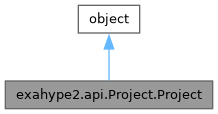
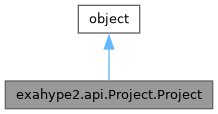
ExaHyPE 2 project.
Represents an ExaHyPE 2 project. An ExaHyPE2 project is a Peano 4 project with a particular set of actions (algorithmic phases) that you can choose from and with particular solver types. It realises a builder mechanism, i.e. you build up your ExaHyPE 2 project and then you finally tell the project "give me the Peano 4 project". From hereon, you can use this Peano 4 project to actually set up the Peano 4 application.
The project will have a marker per cell that encodes stuff alike a boundary marker. But it is also used to coordinate different solver types.
Definition at line 15 of file Project.py.
| exahype2.api.Project.Project.__init__ | ( | self, | |
| namespace, | |||
| project_name, | |||
| executable, | |||
| directory = ".", | |||
| subdirectory = "", | |||
| abstract_overwrite = True ) |
Definition at line 67 of file Project.py.
|
private |
We export ExaHyPE's constants.
Besides the constants from ExaHyPE, we also export some parameters from Peano onto the ExaHyPE constants file. Therefore, it is important that you parse the configure output before we export the constants.
peano_project: peano4.api.Project The Peano 4 project that generate_Peano4_project() is currently assembling. It is a local variable there, not an attribute - merely passed through here, so this routine can export onto it.
Definition at line 303 of file Project.py.
References convert::input::PeanoTextPatchFileReader._dimensions, exahype2.api.dslhype.SyntaxTree.Matrix._dimensions, exahype2.api.dslhype.SyntaxTree.MemoryAllocation._dimensions, exahype2.api.dslhype.SyntaxTree.MemoryDeallocation._dimensions, exahype2.api.dslhype.SyntaxTree.Subscript._dimensions, exahype2.api.dslhype.SyntaxTree.TDataBlock._dimensions, exahype2.api.dslhype.SyntaxTree.TSimpleMemref._dimensions, _dimensions, _domain_offset, _domain_size, _max_terminal_time, _min_terminal_time, _periodic_BC, exagrype.api.actionsets.SynchroniseTimeStepSizes.SynchroniseTimeStepSizes._solvers, and _solvers.
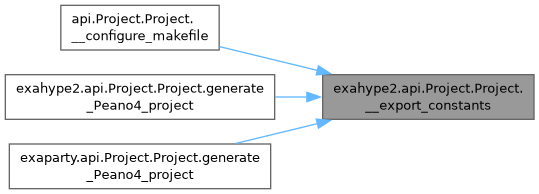
Referenced by api.Project.Project.__configure_makefile(), generate_Peano4_project(), and exaparty.api.Project.Project.generate_Peano4_project().
| exahype2.api.Project.Project.add_solver | ( | self, | |
| solver ) |
Add a solver, or a host of several coupled solvers.
| solver | exahype2.api.Solver or a coupling A coupling (e.g. exagrype.api.FOSOSolver) brings its solvers along, i.e. it has an attribute solvers. The project registers each of them with its solver repository and README, but lets the coupling realise them (generate_solver_realisation()), so it can couple the task graphs of its solvers. |
Definition at line 279 of file Project.py.
References _realisations, exagrype.api.actionsets.SynchroniseTimeStepSizes.SynchroniseTimeStepSizes._solvers, and _solvers.
| exahype2.api.Project.Project.additional_includes | ( | self | ) |
Definition at line 601 of file Project.py.
References _additional_includes.
| exahype2.api.Project.Project.generate_Peano4_project | ( | self, | |
| verbosity = peano4.api.LoggerVerbosity.OFF ) |
Construct a Peano 4 project and return it.
Build the Peano 4 project, i.e., all the action sets et al that you require to run this ExaHyPE 2 application. The Peano 4 project is a local variable here - a fresh peano4.api.Project - that is populated over the course of this call and eventually returned.
This routine generates a Peano project, i.e. the domain-specific ExaHyPE view is translated into a Peano model. As the Peano project is not kept around as an attribute, calling generate_Peano4_project() again after you have altered the ExaHyPE setup gives you an independent, fresh snapshot of the Peano setup rather than an accumulation on top of a stale one.
Definition at line 452 of file Project.py.
References __export_constants(), _build_mode, convert::input::PeanoTextPatchFileReader._dimensions, exahype2.api.dslhype.SyntaxTree.Matrix._dimensions, exahype2.api.dslhype.SyntaxTree.MemoryAllocation._dimensions, exahype2.api.dslhype.SyntaxTree.MemoryDeallocation._dimensions, exahype2.api.dslhype.SyntaxTree.Subscript._dimensions, exahype2.api.dslhype.SyntaxTree.TDataBlock._dimensions, exahype2.api.dslhype.SyntaxTree.TSimpleMemref._dimensions, _dimensions, convert::output::PeanoWriter._directory, convert::output::VTUWriter._directory, _directory, _EXAHYPE_PACKAGE_DESCRIPTION, _executable_name, exahype2.api.dslhype.SyntaxTree.Argument._namespace, _namespace, _Peano_src_directory, _project_name, _realisations, _subdirectory, compiler, mainfile_generator, and solver_repository_generator.

| exahype2.api.Project.Project.periodic_BC | ( | self | ) |
One boolean per axis (dimensions entries) telling whether the domain is periodic along this axis.
Read-only copy -
Definition at line 588 of file Project.py.
References _periodic_BC.
| exahype2.api.Project.Project.remove_all_solvers | ( | self | ) |
Definition at line 298 of file Project.py.
References _realisations, exagrype.api.actionsets.SynchroniseTimeStepSizes.SynchroniseTimeStepSizes._solvers, and _solvers.
| exahype2.api.Project.Project.set_global_simulation_parameters | ( | self, | |
| dimensions, | |||
| offset, | |||
| size, | |||
| min_end_time, | |||
| periodic_BC = [False, False, False], | |||
| max_end_time = 0.0 ) |
!
Set the global simulation parameters
| dimensions | 2 or 3 |
| offset | [Float] Has to have dimension number of entries. |
| size | [Float} Has to have dimension number of entries and all of them have to be positive. At this point, we strongly suggest that all size entries are exactly the same. While Peano and ExaHyPE do support anisotropic meshes, most compute kernels do not, so working with something else than a square or cube will likely break all numerics. |
| max_end_time | Float If you set it zero (or actually any value smaller than min_end_time), then the code will run until the cell that lags behind the most hits the min time. If you specify a valid max time however, you can stop the sim as soon as the most advanced cell exceeds this threshold. |
There are no plot settings here: when and how often to plot is configured per solver on its plotter, e.g. exahype2.api.fv.PlotAsVTKFile.
Definition at line 360 of file Project.py.
References convert::input::PeanoTextPatchFileReader._dimensions, exahype2.api.dslhype.SyntaxTree.Matrix._dimensions, exahype2.api.dslhype.SyntaxTree.MemoryAllocation._dimensions, exahype2.api.dslhype.SyntaxTree.MemoryDeallocation._dimensions, exahype2.api.dslhype.SyntaxTree.Subscript._dimensions, exahype2.api.dslhype.SyntaxTree.TDataBlock._dimensions, exahype2.api.dslhype.SyntaxTree.TSimpleMemref._dimensions, _dimensions, _domain_offset, _domain_size, _max_terminal_time, _min_terminal_time, and _periodic_BC.
| exahype2.api.Project.Project.set_gpus | ( | self, | |
| value ) |
Set GPUs to be used value is a list of integers or the empty list if you want the code to use all GPUs that are visible to a rank.
Definition at line 250 of file Project.py.
References _gpus.
| exahype2.api.Project.Project.set_load_balancing | ( | self, | |
| load_balancer_name, | |||
| load_balancer_arguments = "" ) |
Set load balancing scheme.
The load balancing scheme controls how subtress are distributed both among ranks and threads, i.e. the instance is important for MPI but also whenever you use any multithreading strategy.
Similar to set_multicore_orchestration(), you have to let the project know about where the load balancing is held. If you rely on the load balancing toolbox and if you have configured Peano with the load balancing toolbox, then simply adding the right eader is sufficient:
If you use a bespoke load balancing, you also have to add the implementation file or hosting library to the project.
| load_balancer_name | string Should be full-qualified name of the load balancer. By default, I recommend to pass "toolbox::loadbalancing::strategies::RecursiveSubdivision". |
| load_balancer_arguments | string If your load balancing requires parameters, add them here. It is a string that will be copied into the C++ class instantiation. Please add the brackets yourself, i.e. "(3,4,5)" is fine, but "3,4,5" is not. The only exception is the empty parameter list. Here, you can/should simply add the empty string. |
Definition at line 126 of file Project.py.
References _load_balancer_arguments, and _load_balancer_name.
| exahype2.api.Project.Project.set_log_filter_file | ( | self, | |
| file_name ) |
Set a log filter file name.
Pass in the empty string, if you don't want the code to use the hard-coded defaults. That is, by default an ExaHyPE2 application searches for a file exahype2.log-filter. Through this call, you can instruct the project to use another filter file.
| file_name | String Name of the log filter file that the application should load on startup. |
Definition at line 161 of file Project.py.
References _log_filter_file.
| exahype2.api.Project.Project.set_multicore_orchestration | ( | self, | |
| value ) |
Set orchestration.
The orchestration accepts one value which is a C++ statement. This value has to be a string which creates an orchestration object, i.e. an object of the type tarch.multicore.orchestration.Orchestration, on the heap.
You can either create it directly (in this case you need to add a new), or you can use a factory method such as tarch.multicore.orchestration.StrategyFactory.createDefaultStrategy().
Depending on where you come from, you might have to add the strategy's header file to the project explicitly. By default, the ExaHyPE 2 project only is aware of very few strategies. Here's an example:
| value | C++ expression delivering a new orchestration object on the heap |
Definition at line 193 of file Project.py.
References _multicore_orchestration.
| exahype2.api.Project.Project.set_number_of_threads | ( | self, | |
| value ) |
Set number of threads to use.
Pass in number of threads (positive integer) or a string such as "tarch::multicore::Core::UseDefaultNumberOfThreads". Please note that this value is handed through to Peano which in turn passes it on the tarch.multicore.Core.configure(int). It then depends on the multithreading backend if this backend allows you to set the thread count manually. Many backends (such as OpenMP) do not allow this, but require users to use environment variables (or scheduler options) instead.
Definition at line 177 of file Project.py.
References _number_of_threads.
| exahype2.api.Project.Project.set_output_path | ( | self, | |
| path ) |
| exahype2.api.Project.Project.set_Peano4_installation | ( | self, | |
| src_path, | |||
| mode = peano4.api.output.CompileMode.RELEASE ) |
src_path: string Path (relative or absolute) to the src directory of Peano.
This path should hold both the headers (in subdirectories) and all the static libraries.
mode: peano4.api.output.CompileMode
Definition at line 267 of file Project.py.
References _build_mode, and _Peano_src_directory.
| exahype2.api.Project.Project.set_step_report_class | ( | self, | |
| class_name ) |
Set the C++ class the generated main instantiates to report on steps.
class_name: str Fully qualified C++ class name (e.g. "peano4::DefaultStepReport", the default) of a peano4.RunMultipleSteps.Report subclass. The generated main creates exactly one instance of it, so the class has to be default-constructible. If you pass in anything other than the default, its header is not included automatically - you have to make it visible to the generated main yourself.
Definition at line 236 of file Project.py.
References _step_report_class.
| exahype2.api.Project.Project.set_timeout | ( | self, | |
| value ) |
Set timeout value has to be a number greater or equal to zero, this then sets the timeout in seconds after which a node waiting for an MPI message shall quit an shutdown the whole application with an error report.
If zero is passed, this feature is switched off and nodes will wait indefinitely.
Definition at line 223 of file Project.py.
References _timeout.
| exahype2.api.Project.Project.subdirectory | ( | self | ) |
Definition at line 597 of file Project.py.
References _subdirectory.
|
protected |
Definition at line 77 of file Project.py.
Referenced by api.Project.Project.add_solver().
|
protected |
Definition at line 95 of file Project.py.
Referenced by additional_includes(), and api.BackupPatchOverlap.BackupPatchOverlap.get_includes().
|
protected |
src_path: string Path (relative or absolute) to the src directory of Peano.
This path should hold both the headers (in subdirectories) and all the static libraries.
mode: peano4.api.output.CompileMode
Definition at line 99 of file Project.py.
Referenced by api.Project.Project.__configure_makefile(), api.Project.Project.__init__(), generate_Peano4_project(), exaparty.api.Project.Project.generate_Peano4_project(), api.Project.Project.set_Peano4_installation(), set_Peano4_installation(), and exaparty.api.Project.Project.set_Peano4_installation().
|
protected |
!
Set the global simulation parameters
| dimensions | 2 or 3 |
| offset | [Float] Has to have dimension number of entries. |
| size | [Float} Has to have dimension number of entries and all of them have to be positive. At this point, we strongly suggest that all size entries are exactly the same. While Peano and ExaHyPE do support anisotropic meshes, most compute kernels do not, so working with something else than a square or cube will likely break all numerics. |
| max_end_time | Float If you set it zero (or actually any value smaller than min_end_time), then the code will run until the cell that lags behind the most hits the min time. If you specify a valid max time however, you can stop the sim as soon as the most advanced cell exceeds this threshold. |
There are no plot settings here: when and how often to plot is configured per solver on its plotter, e.g. exahype2.api.fv.PlotAsVTKFile.
Definition at line 84 of file Project.py.
Referenced by api.Project.Project.__configure_makefile(), exaparty.api.Project.Project.__configure_makefile(), api.Project.Project.__export_constants(), __export_constants(), exaparty.api.Project.Project.__export_constants(), api.Project.Project.__init__(), solvers.api.ContinuousGalerkinDiscretisationGaussLobattoWithBlockJacobi.ContinuousGalerkinDiscretisationGaussLobattoWithBlockJacobi._construct_narrow_to_interior_matrix(), solvers.api.ContinuousGalerkinDiscretisationGaussLobattoWithBlockJacobi.ContinuousGalerkinDiscretisationGaussLobattoWithBlockJacobi.add_implementation_files_to_project(), scenarios.elastic_planar_waves.ElasticPlanarWaves.analytical_solution(), tarch.plotter.api.output.Visualiser.PatchFileData.apply_renderer_to_data(), generate_Peano4_project(), scenarios.elastic_planar_waves.ElasticPlanarWaves.initial_conditions(), api.Project.Project.set_global_simulation_parameters(), api.Project.Project.set_global_simulation_parameters(), set_global_simulation_parameters(), exaparty.api.Project.Project.set_global_simulation_parameters(), and scenarios.scenario.Scenario.set_global_simulation_parameters().
|
protected |
Definition at line 75 of file Project.py.
Referenced by generate_Peano4_project().
|
protected |
!
Set the global simulation parameters
| dimensions | 2 or 3 |
| offset | [Float] Has to have dimension number of entries. |
| size | [Float} Has to have dimension number of entries and all of them have to be positive. At this point, we strongly suggest that all size entries are exactly the same. While Peano and ExaHyPE do support anisotropic meshes, most compute kernels do not, so working with something else than a square or cube will likely break all numerics. |
| max_end_time | Float If you set it zero (or actually any value smaller than min_end_time), then the code will run until the cell that lags behind the most hits the min time. If you specify a valid max time however, you can stop the sim as soon as the most advanced cell exceeds this threshold. |
There are no plot settings here: when and how often to plot is configured per solver on its plotter, e.g. exahype2.api.fv.PlotAsVTKFile.
Definition at line 82 of file Project.py.
Referenced by api.Project.Project.__export_constants(), __export_constants(), exaparty.api.Project.Project.__export_constants(), api.Project.Project.__init__(), api.Tree.Tree.__str__(), api.Project.Project.generate_Peano4_project(), api.Project.Project.set_global_simulation_parameters(), api.Project.Project.set_global_simulation_parameters(), set_global_simulation_parameters(), and exaparty.api.Project.Project.set_global_simulation_parameters().
|
protected |
!
Set the global simulation parameters
| dimensions | 2 or 3 |
| offset | [Float] Has to have dimension number of entries. |
| size | [Float} Has to have dimension number of entries and all of them have to be positive. At this point, we strongly suggest that all size entries are exactly the same. While Peano and ExaHyPE do support anisotropic meshes, most compute kernels do not, so working with something else than a square or cube will likely break all numerics. |
| max_end_time | Float If you set it zero (or actually any value smaller than min_end_time), then the code will run until the cell that lags behind the most hits the min time. If you specify a valid max time however, you can stop the sim as soon as the most advanced cell exceeds this threshold. |
There are no plot settings here: when and how often to plot is configured per solver on its plotter, e.g. exahype2.api.fv.PlotAsVTKFile.
Definition at line 83 of file Project.py.
Referenced by api.Project.Project.__export_constants(), __export_constants(), exaparty.api.Project.Project.__export_constants(), api.Project.Project.__init__(), api.Tree.Tree.__str__(), api.Project.Project.generate_Peano4_project(), exaparty.api.Project.Project.real_mesh_size(), api.Project.Project.set_global_simulation_parameters(), api.Project.Project.set_global_simulation_parameters(), set_global_simulation_parameters(), exaparty.api.Project.Project.set_global_simulation_parameters(), and scenarios.scenario.Scenario.set_global_simulation_parameters().
|
staticprotected |
Definition at line 423 of file Project.py.
Referenced by generate_Peano4_project().
|
protected |
Definition at line 100 of file Project.py.
Referenced by api.Project.Project.__configure_makefile(), exaparty.api.Project.Project.__configure_makefile(), api.Project.Project.__init__(), peano4.api.output.Readme.Readme.generate(), generate_Peano4_project(), and peano4.api.output.Readme.Readme.set_executable_name().
|
protected |
Set GPUs to be used value is a list of integers or the empty list if you want the code to use all GPUs that are visible to a rank.
Definition at line 93 of file Project.py.
Referenced by set_gpus().
|
protected |
Set load balancing scheme.
The load balancing scheme controls how subtress are distributed both among ranks and threads, i.e. the instance is important for MPI but also whenever you use any multithreading strategy.
Similar to set_multicore_orchestration(), you have to let the project know about where the load balancing is held. If you rely on the load balancing toolbox and if you have configured Peano with the load balancing toolbox, then simply adding the right eader is sufficient:
If you use a bespoke load balancing, you also have to add the implementation file or hosting library to the project.
| load_balancer_name | string Should be full-qualified name of the load balancer. By default, I recommend to pass "toolbox::loadbalancing::strategies::RecursiveSubdivision". |
| load_balancer_arguments | string If your load balancing requires parameters, add them here. It is a string that will be copied into the C++ class instantiation. Please add the brackets yourself, i.e. "(3,4,5)" is fine, but "3,4,5" is not. The only exception is the empty parameter list. Here, you can/should simply add the empty string. |
Definition at line 88 of file Project.py.
Referenced by exaparty.api.Project.Project.__generate_global_state_files(), api.Project.Project.__init__(), api.Project.Project.set_load_balancing(), set_load_balancing(), and exaparty.api.Project.Project.set_load_balancing().
|
protected |
Set load balancing scheme.
The load balancing scheme controls how subtress are distributed both among ranks and threads, i.e. the instance is important for MPI but also whenever you use any multithreading strategy.
Similar to set_multicore_orchestration(), you have to let the project know about where the load balancing is held. If you rely on the load balancing toolbox and if you have configured Peano with the load balancing toolbox, then simply adding the right eader is sufficient:
If you use a bespoke load balancing, you also have to add the implementation file or hosting library to the project.
| load_balancer_name | string Should be full-qualified name of the load balancer. By default, I recommend to pass "toolbox::loadbalancing::strategies::RecursiveSubdivision". |
| load_balancer_arguments | string If your load balancing requires parameters, add them here. It is a string that will be copied into the C++ class instantiation. Please add the brackets yourself, i.e. "(3,4,5)" is fine, but "3,4,5" is not. The only exception is the empty parameter list. Here, you can/should simply add the empty string. |
Definition at line 87 of file Project.py.
Referenced by exaparty.api.Project.Project.__generate_global_state_files(), api.Project.Project.__init__(), api.Project.Project.set_load_balancing(), set_load_balancing(), and exaparty.api.Project.Project.set_load_balancing().
|
protected |
Set a log filter file name.
Pass in the empty string, if you don't want the code to use the hard-coded defaults. That is, by default an ExaHyPE2 application searches for a file exahype2.log-filter. Through this call, you can instruct the project to use another filter file.
| file_name | String Name of the log filter file that the application should load on startup. |
Definition at line 89 of file Project.py.
Referenced by set_log_filter_file().
|
protected |
Definition at line 86 of file Project.py.
Referenced by __export_constants(), exaparty.api.Project.Project.__export_constants(), set_global_simulation_parameters(), and exaparty.api.Project.Project.set_global_simulation_parameters().
|
protected |
include <bitset>
include "tarch/la/Vector.h"
include "peano4/utils/Globals.h"
Definition at line 85 of file Project.py.
Referenced by __export_constants(), exaparty.api.Project.Project.__export_constants(), set_global_simulation_parameters(), and exaparty.api.Project.Project.set_global_simulation_parameters().
|
protected |
Set orchestration.
The orchestration accepts one value which is a C++ statement. This value has to be a string which creates an orchestration object, i.e. an object of the type tarch.multicore.orchestration.Orchestration, on the heap.
You can either create it directly (in this case you need to add a new), or you can use a factory method such as tarch.multicore.orchestration.StrategyFactory.createDefaultStrategy().
Depending on where you come from, you might have to add the strategy's header file to the project explicitly. By default, the ExaHyPE 2 project only is aware of very few strategies. Here's an example:
| value | C++ expression delivering a new orchestration object on the heap |
Definition at line 91 of file Project.py.
Referenced by set_multicore_orchestration().
|
protected |
Definition at line 73 of file Project.py.
Referenced by generate_Peano4_project().
|
protected |
Set number of threads to use.
Pass in number of threads (positive integer) or a string such as "tarch::multicore::Core::UseDefaultNumberOfThreads". Please note that this value is handed through to Peano which in turn passes it on the tarch.multicore.Core.configure(int). It then depends on the multithreading backend if this backend allows you to set the thread count manually. Many backends (such as OpenMP) do not allow this, but require users to use environment variables (or scheduler options) instead.
Definition at line 90 of file Project.py.
Referenced by set_number_of_threads().
|
protected |
Definition at line 102 of file Project.py.
Referenced by api.Project.Project.__init__(), exahype2.api.rkfd4.PlotAsVTKFile.PlotAsVTKFile.output_file_prefix(), exahype2.api.rkfd4.WriteCheckpoint.WriteCheckpoint.output_file_prefix(), api.Project.Project.set_output_path(), set_output_path(), and exaparty.api.Project.Project.set_output_path().
|
protected |
src_path: string Path (relative or absolute) to the src directory of Peano.
This path should hold both the headers (in subdirectories) and all the static libraries.
mode: peano4.api.output.CompileMode
Definition at line 98 of file Project.py.
Referenced by api.Project.Project.__configure_makefile(), api.Project.Project.__init__(), generate_Peano4_project(), exaparty.api.Project.Project.generate_Peano4_project(), api.Project.Project.set_Peano4_installation(), set_Peano4_installation(), and exaparty.api.Project.Project.set_Peano4_installation().
|
protected |
One boolean per axis (dimensions entries) telling whether the domain is periodic along this axis.
Read-only copy -
Definition at line 101 of file Project.py.
Referenced by __export_constants(), periodic_BC(), set_global_simulation_parameters(), and exaparty.api.Project.Project.set_global_simulation_parameters().
|
protected |
Definition at line 74 of file Project.py.
Referenced by generate_Peano4_project().
|
protected |
Definition at line 81 of file Project.py.
Referenced by add_solver(), generate_Peano4_project(), and remove_all_solvers().
|
protected |
Definition at line 79 of file Project.py.
Referenced by api.Project.Project.__export_constants(), __export_constants(), api.Project.Project.__init__(), api.Project.Project.__set_solver_repository_dict(), api.Project.Project.add_solver(), api.Project.Project.add_solver(), add_solver(), and remove_all_solvers().
|
protected |
Set the C++ class the generated main instantiates to report on steps.
class_name: str Fully qualified C++ class name (e.g. "peano4::DefaultStepReport", the default) of a peano4.RunMultipleSteps.Report subclass. The generated main creates exactly one instance of it, so the class has to be default-constructible. If you pass in anything other than the default, its header is not included automatically - you have to make it visible to the generated main yourself.
Definition at line 94 of file Project.py.
Referenced by set_step_report_class().
|
protected |
Definition at line 76 of file Project.py.
Referenced by api.Project.Project.__init__(), api.Project.Project.add_solver(), api.Project.Project.add_solver(), peano4.api.Project.Project.add_subproject(), generate_Peano4_project(), api.Project.Project.subdirectory(), subdirectory(), peano4.api.datamodel.Model.Model.subdirectory(), and peano4.api.Project.Project.subdirectory().
|
protected |
Set timeout value has to be a number greater or equal to zero, this then sets the timeout in seconds after which a node waiting for an MPI message shall quit an shutdown the whole application with an error report.
If zero is passed, this feature is switched off and nodes will wait indefinitely.
Definition at line 92 of file Project.py.
Referenced by set_timeout().
| exahype2.api.Project.Project.compiler = peano4.api.taskgraph.compiler.Sequential.translate |
Definition at line 123 of file Project.py.
Referenced by generate_Peano4_project().
|
static |
Definition at line 264 of file Project.py.
|
static |
Definition at line 261 of file Project.py.
|
static |
Definition at line 262 of file Project.py.
|
static |
Definition at line 265 of file Project.py.
|
static |
Definition at line 263 of file Project.py.
| exahype2.api.Project.Project.mainfile_generator = DefaultSimulationMain(self) |
Definition at line 109 of file Project.py.
Referenced by generate_Peano4_project().
| exahype2.api.Project.Project.solver_repository_generator = SolverRepositoryGenerator(self) |
Definition at line 115 of file Project.py.
Referenced by generate_Peano4_project().
 1.15.0